
Water stopper.
The article explains the function and triggering behavior of the water stopper in your truu system and shows you how to reset it and check yourself whether a defect is present.
What does the water stopper do?
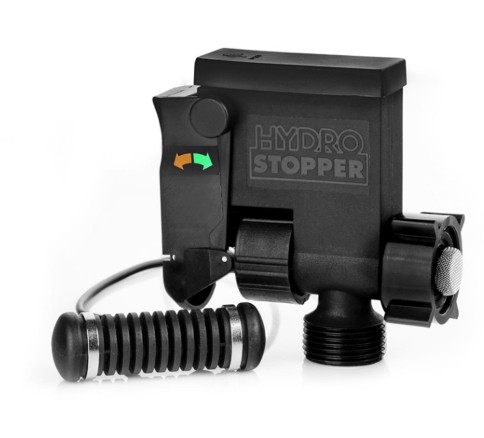
The water stopper is the safety device of your truu system. It sits directly in the water supply and is connected via a cable to a moisture sensor that lies on the floor. When the sensor detects moisture, the water stopper automatically closes the supply. This keeps your home protected before any major water damage can occur.
How do I know it has been triggered?
When the water stopper has been triggered, the flap on the side is open in the direction of the red arrow. In this state, no water flows and the system does not work. There is no need to worry: The water stopper can trigger even without a defect in the system, for example if you touch the sensor while mopping or cleaning, or if the battery on the top is empty.
This is how you reset the water stopper
- Push the lever on the side back to the position of the green arrow.
- Water flows again and your system works as usual.
Is there a defect? Here's how you check it yourself
You can easily check yourself whether the water stopper has been triggered for good reason. After resetting, that is after you have pushed the lever in the direction of the green arrow, look around the system to see if a leak is visible or if water is escaping from the side of the system. If neither is the case, there is no defect. In this case, simply continue to monitor the system.